
Learn Japanese right inside Claude
Look up any word with its pitch accent, find your JLPT level in five minutes, quiz yourself from a real question bank and read Japanese with furigana — without leaving the chat. Your progress saves to your free Nihoner account.
Free to use · Interactive cards in the chat · Works on web, desktop and mobile
Just ask
Use everyday language. Mention Nihoner the first time so Claude knows which tool to use.
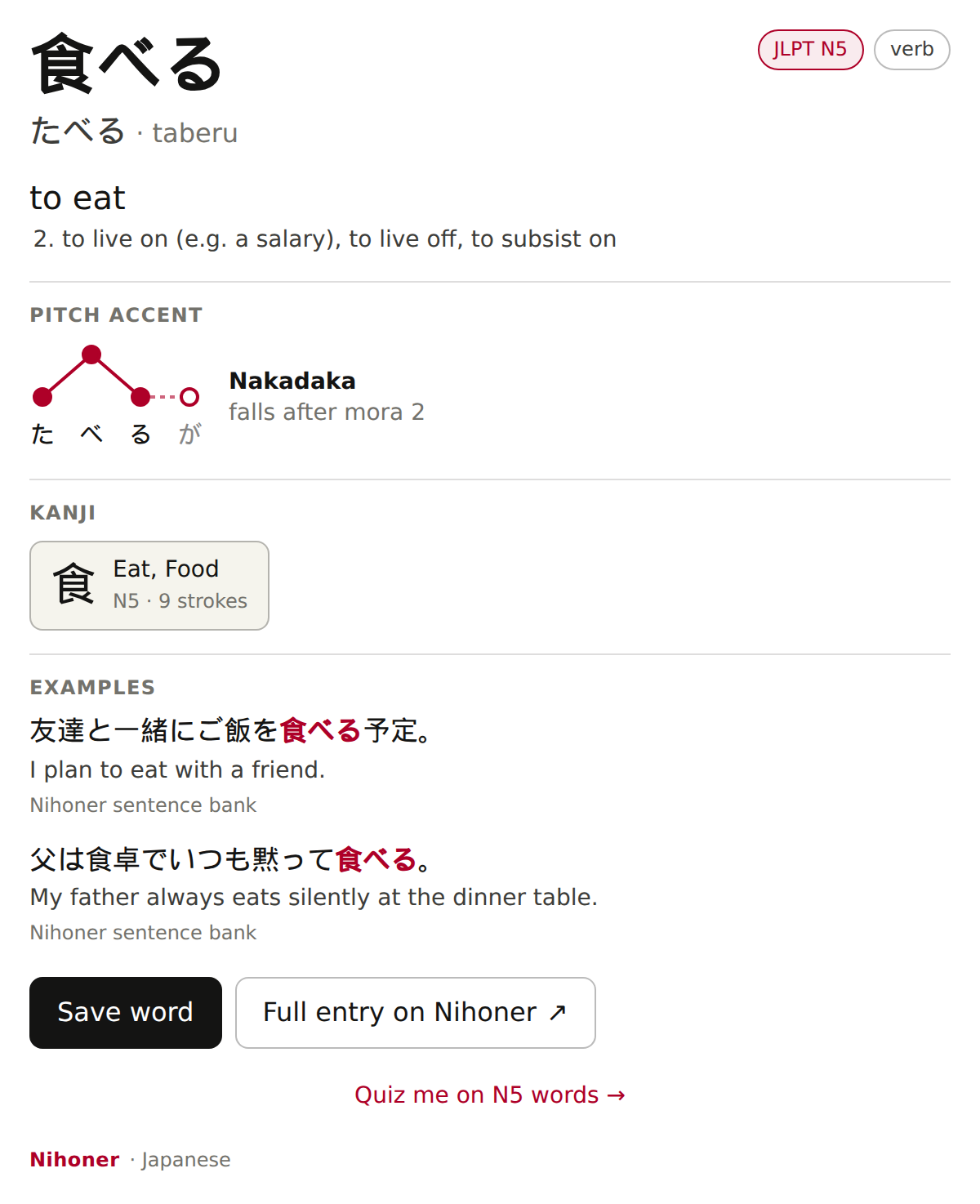
Every word, properly explained
Reading, romaji, JLPT level, a pitch-accent diagram, each kanji broken down, and real example sentences — some with audio. Built on more than 600,000 dictionary entries, 124,000 pitch-accent readings and 13,000 kanji.
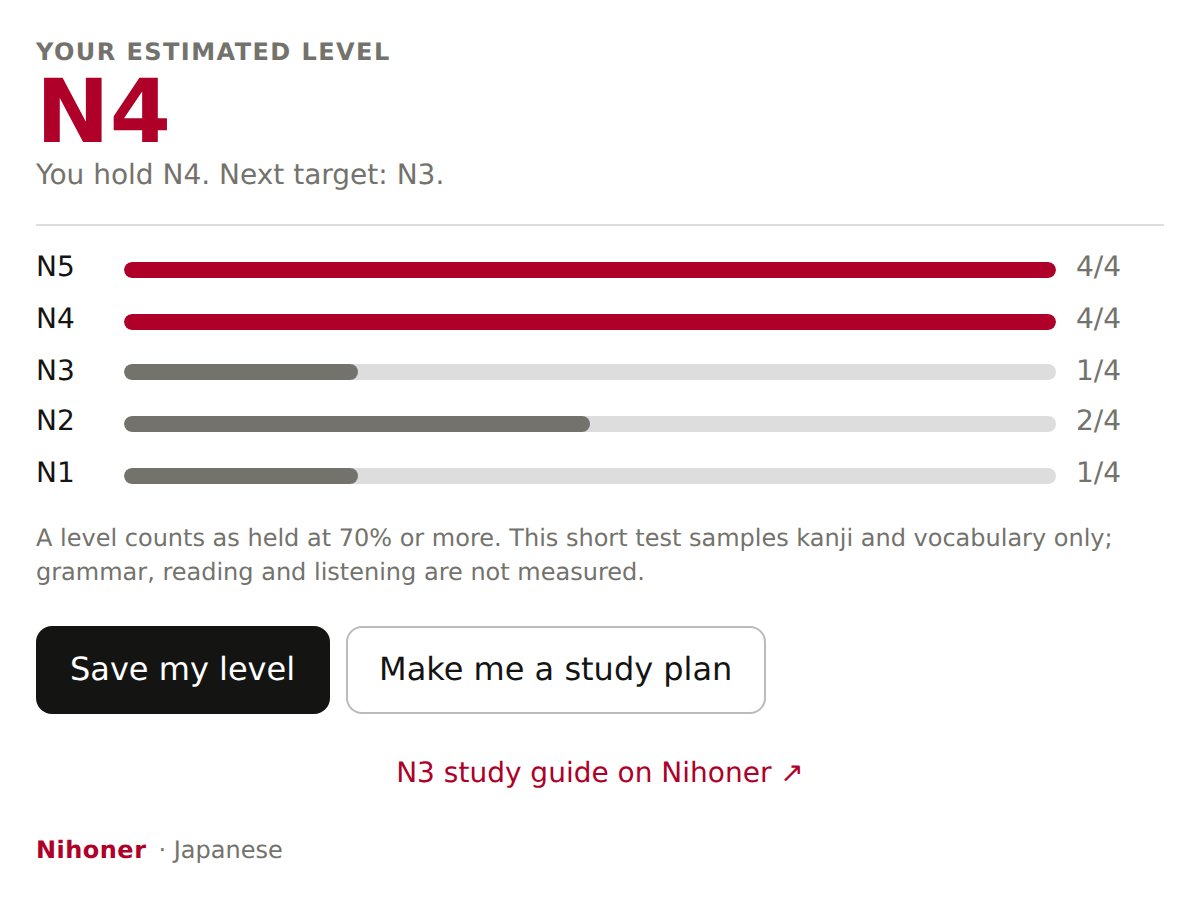
Find your JLPT level in five minutes
A 20-question placement test from N5 to N1 that you answer right in the chat. It shows which levels you hold and what to study next — and is honest about what it measures.
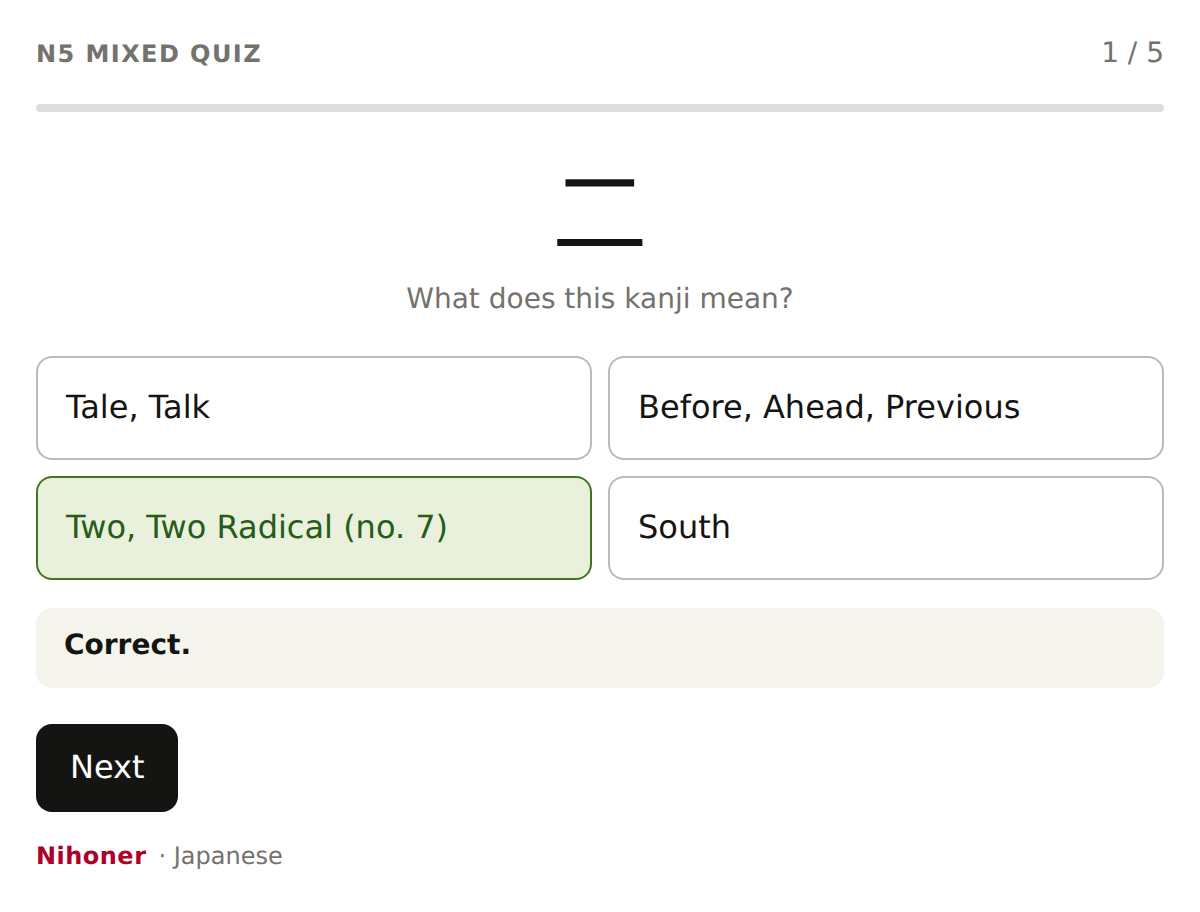
Quizzes from a real question bank
Vocabulary, kanji and particles in real sentences, with instant feedback and explanations. Ask for any level or skill and keep going inside the card.
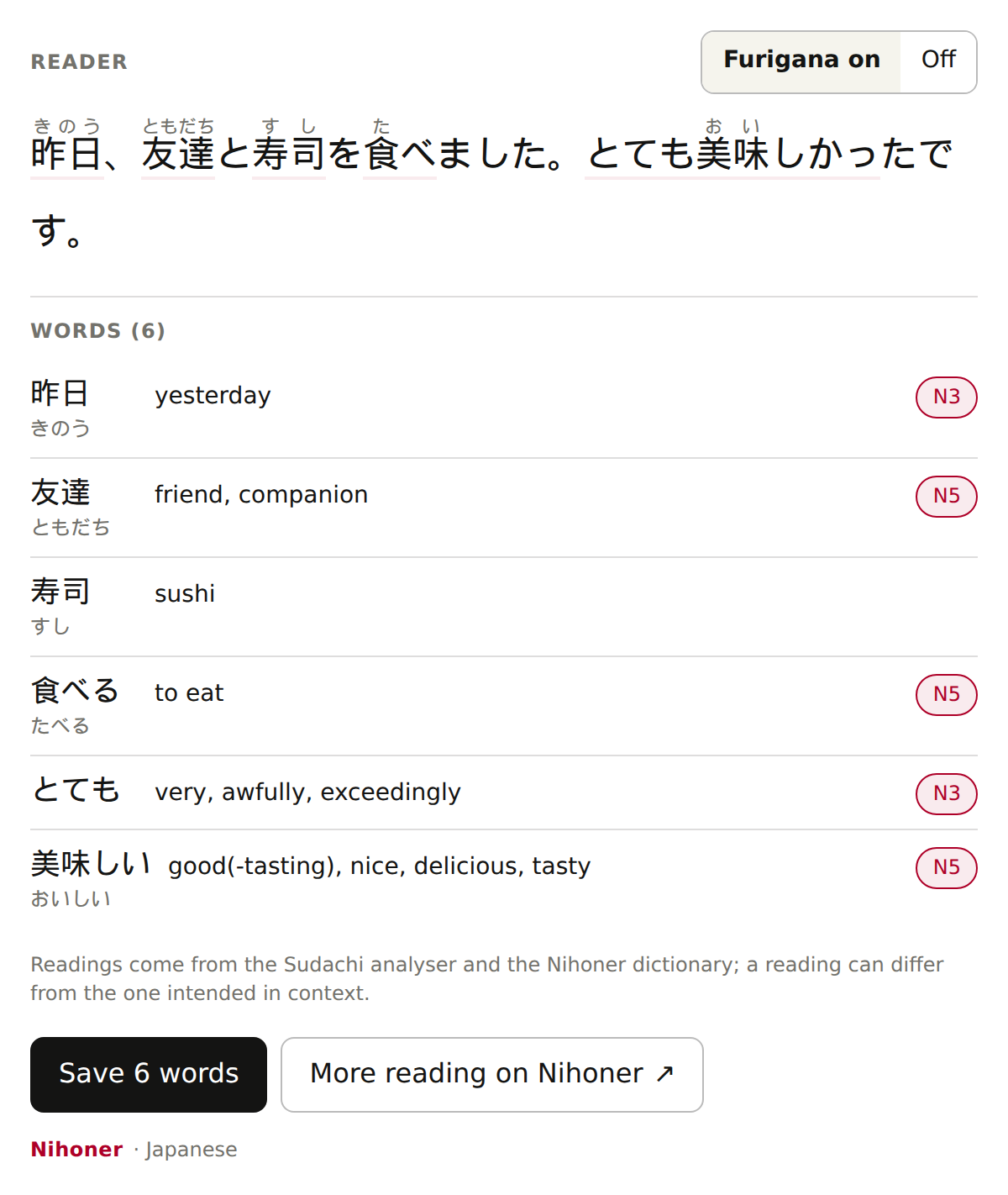
Read anything with furigana
Paste a message, a menu or a manga line. Every word gets its reading, meaning and JLPT level, analysed with the professional Sudachi dictionary.
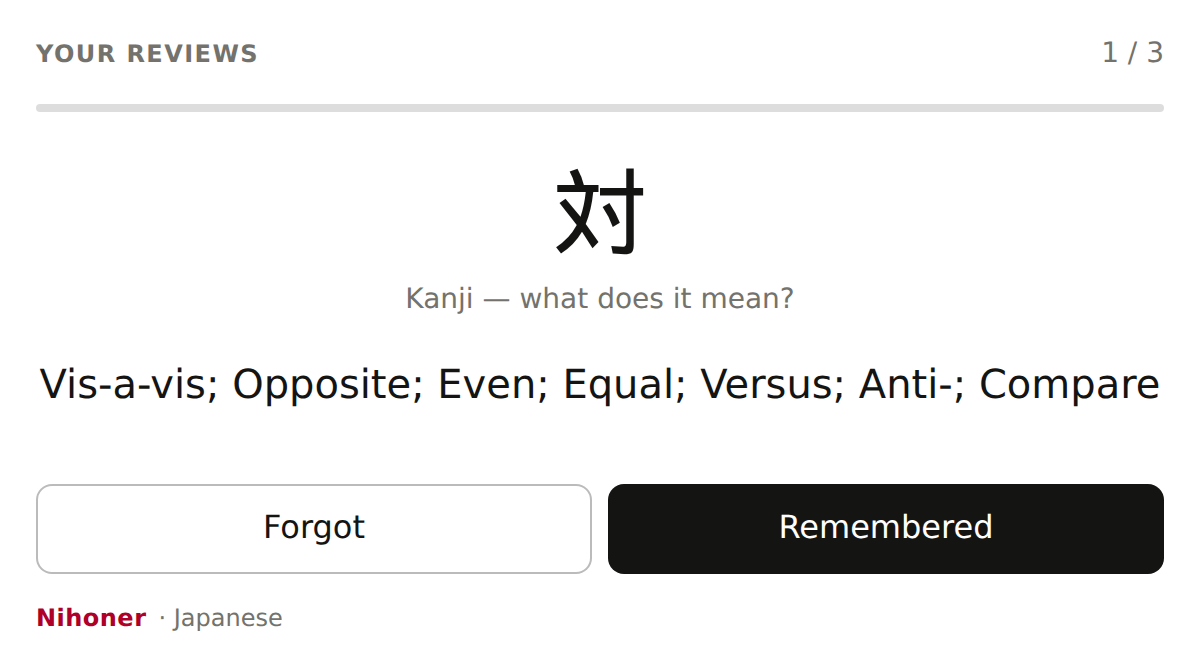
Remember what you learn
Words you save come back right before you would forget them, using the FSRS spaced-repetition algorithm. Review in the chat or on nihoner.com — it is the same deck.
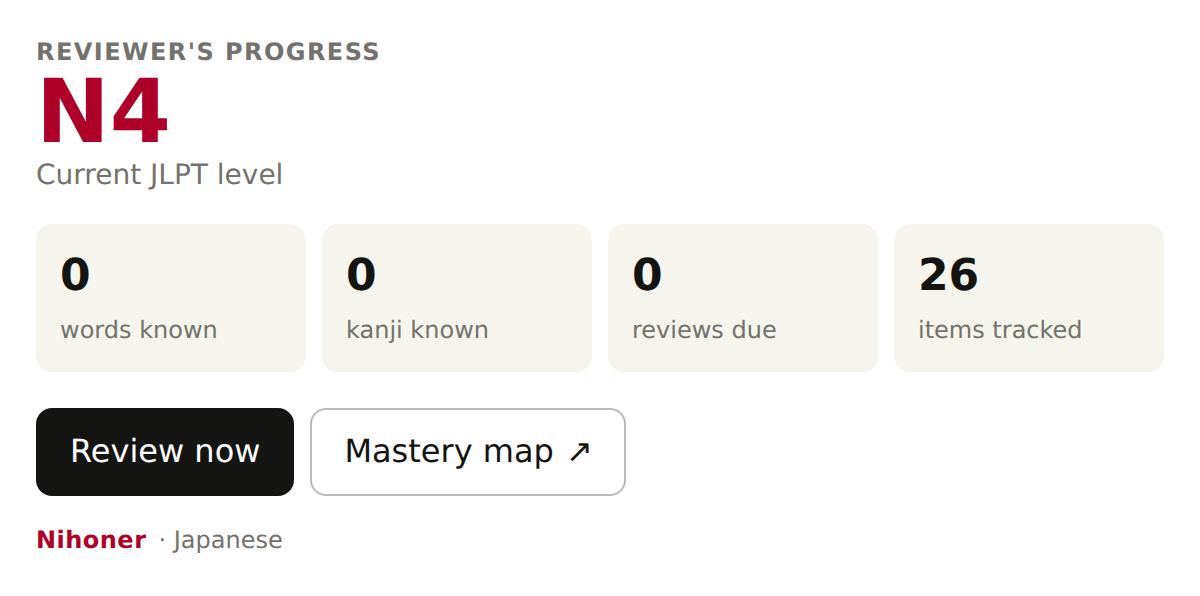
Watch yourself improve
Your level, words and kanji you know, reviews due and your streak, whenever you ask.
Also inside: 831 grammar points from N5 to N1 with formation, explanations and examples — ask “Explain ばかり” or “What does てしまう mean?”
Your progress follows you
Use it right away
The dictionary, grammar, quizzes, reader and placement test work without an account.
Save with one tap
The first time you save a word or your level, Claude shows a Connect button. Sign in — or create a free account with Google in one tap — and approve once.
Pick up anywhere
Your level, saved words and reviews are the same in Claude, on your phone and on nihoner.com.
Add Nihoner to Claude
It takes about 30 seconds on Claude for web or desktop (once added, it also works in the mobile app):
- Open Settings → Connectors and choose Add custom connector.
- Name:
Nihoner· URL:https://mcp.nihoner.com/mcp - Authentication: Sign in when needed. Leave the OAuth client on the recommended option, then press Add.
- Start a new chat and say “Test my Japanese level with Nihoner.” The first time a card appears, choose Always allow.
Private by design
Only what the tool needs
Nihoner receives the word, pattern or text you ask about — never your conversation, Claude’s memory or your files. Text you paste into the reader is not stored.
You stay in control
Connecting is optional. Claude never sees your email, password or payment details, and you can disconnect at any time in its settings.
Real data, not guesses
Answers come from Nihoner’s dictionary, grammar reference and question bank, so readings, levels and pitch accents are consistent and checkable.
Read the connector privacy notice.
Questions
Is it free?
Yes. Every tool is free to use, with or without an account, and a free Nihoner account is all you need to save your progress.
Claude says “authorization required”. What do I do?
That is the Connect step for saving progress. Press the button in that message, sign in to Nihoner (or create a free account) in the window that opens, and choose Allow and continue. You return to the chat automatically.
The card does not appear, or looks out of date.
Start a new chat. If it still does not appear, open Settings → Connectors → Nihoner, disconnect and connect again.
Why does a link ask “Open external link?”
Claude asks before opening any website from a connector. Links from Nihoner always go to nihoner.com.
How do I disconnect or delete my data?
Disconnect in Claude’s Settings → Connectors. To delete saved progress or your account, email [email protected].
How accurate is the placement test?
It samples kanji and vocabulary at each JLPT level, four questions per level, and counts a level as held at 70%. It does not measure grammar, reading or listening, so treat it as a starting point.
Who makes it?
Nihoner (nihoner.com), an online school for Japanese. Questions or problems: [email protected].
Example sentences include material from Tatoeba (CC BY 2.0 FR). Text analysis uses Sudachi. See all open-source credits.